Consistent Response Validation - Invalid Value for types & Business Rules in Web API
Get link
Facebook
X
Pinterest
Email
Other Apps
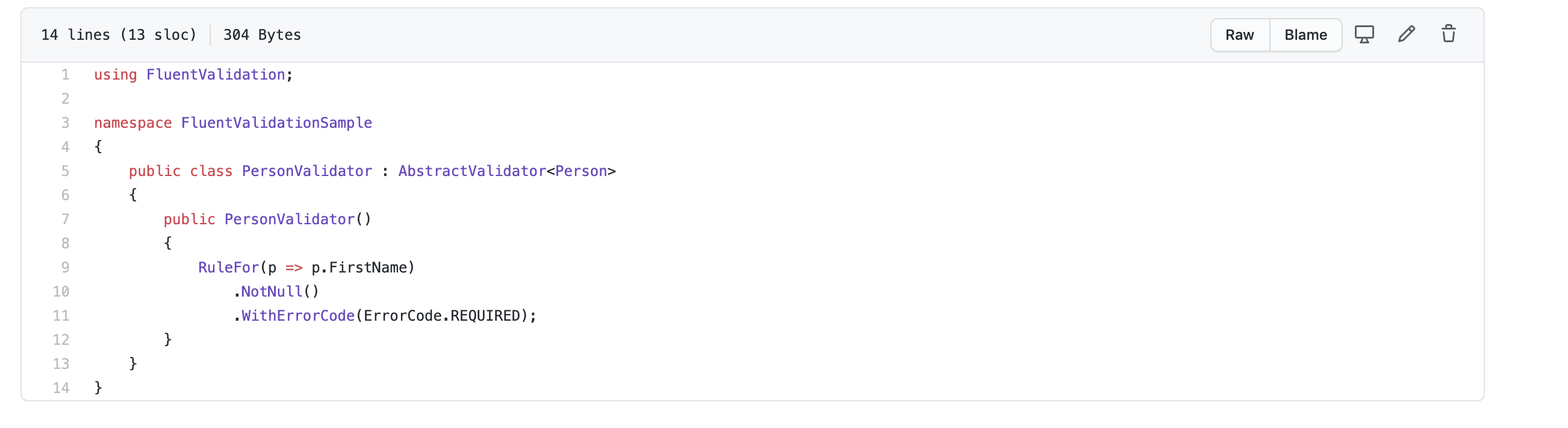
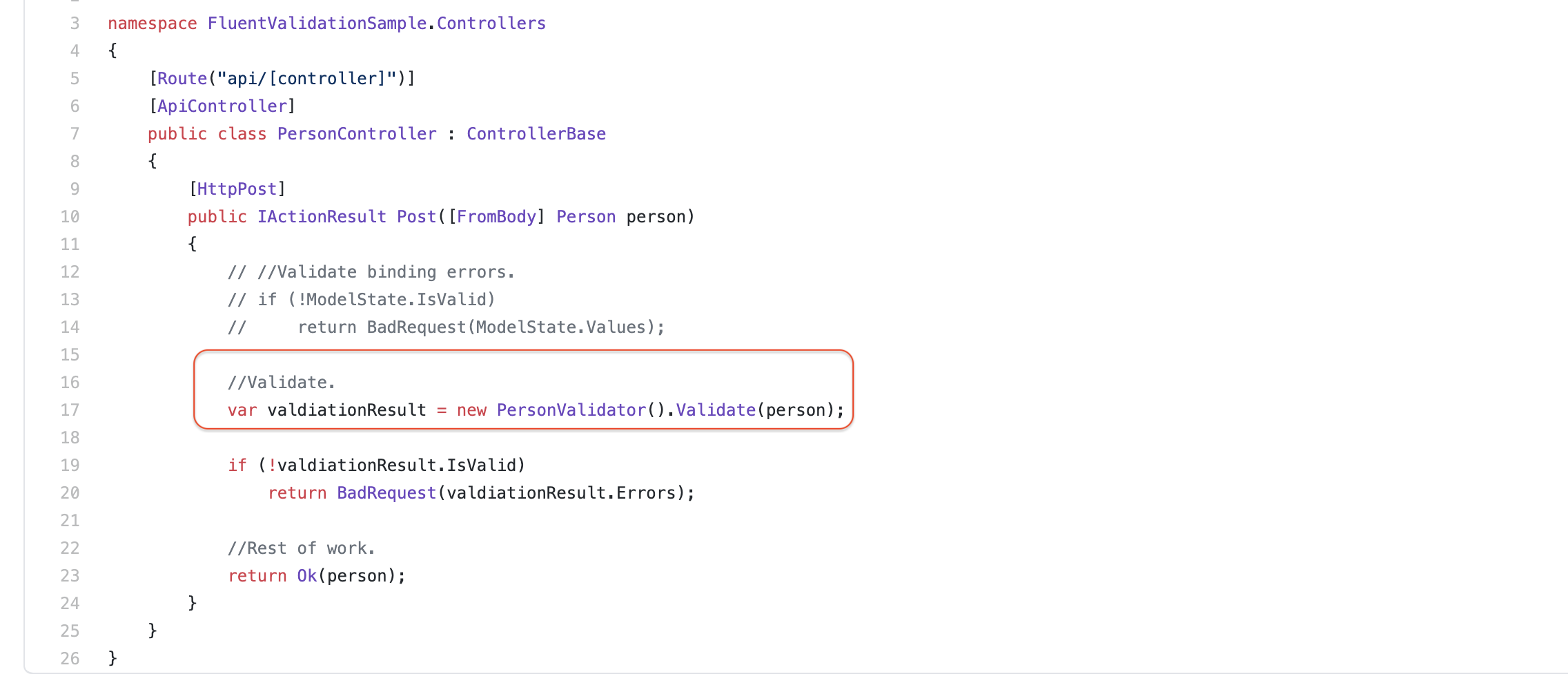
Fluent validation is a great library to perform validation on objects. Integrating fluent validation in .net core is very simple and minimal steps are described along with a way to make validation response consistent be it binding error or business validation error.
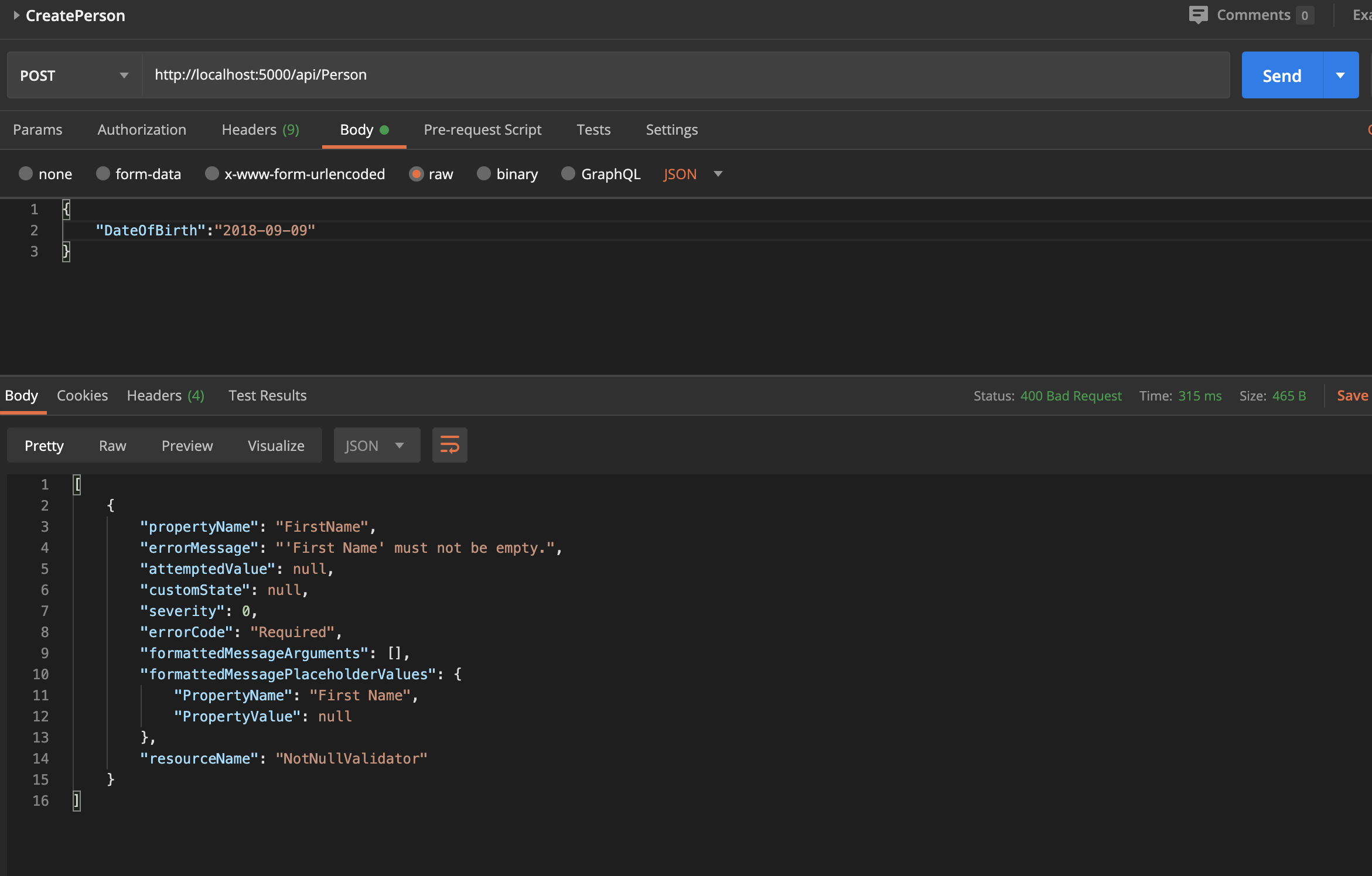
This works fine and the correct error message is displayed.
Fluent Validation Error Message response
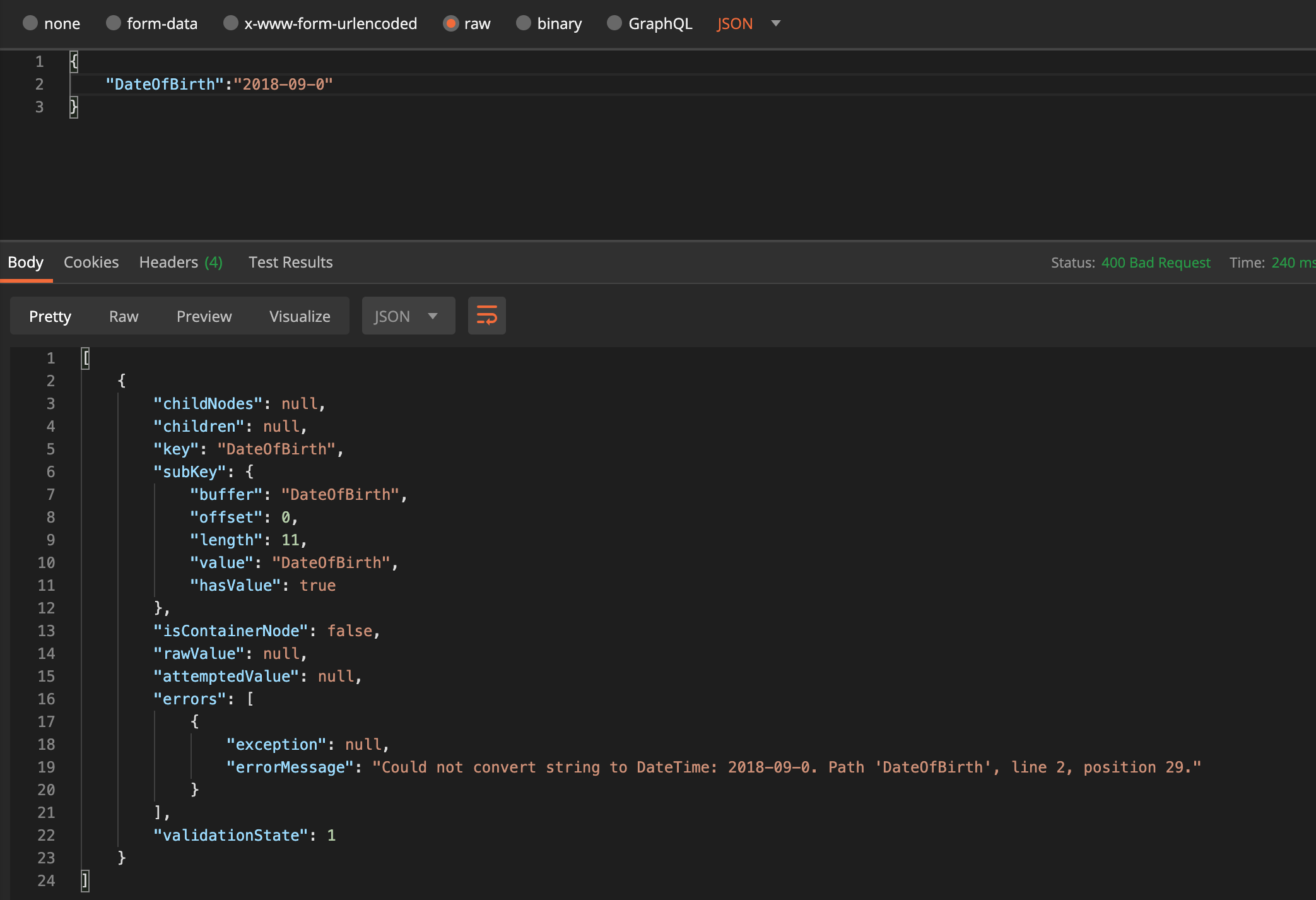
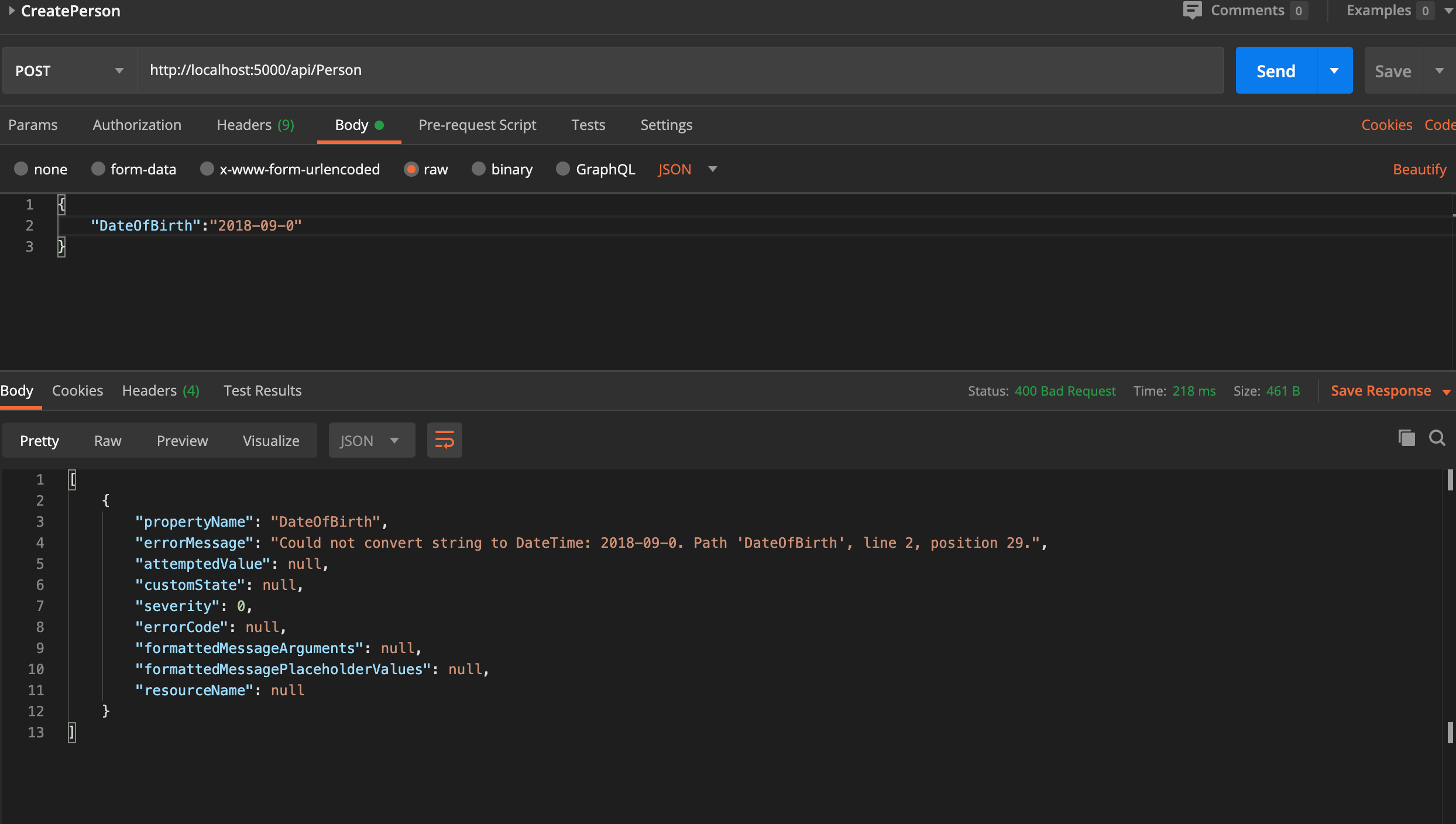
However, consider the request where Date of Birth of person is passed as an invalid date. In this case, controller method gets null as input because of invalid type value during the model biding phase.
By default below error message is thrown if model state is validated in the controller method
Default Model State Error
In this case, format of error message response is different from Fluent Validation Error message response. This will lead to inconsistent error response depending on the type of error, whether binding or business validation.
In order to make validation response consistent follow steps below:
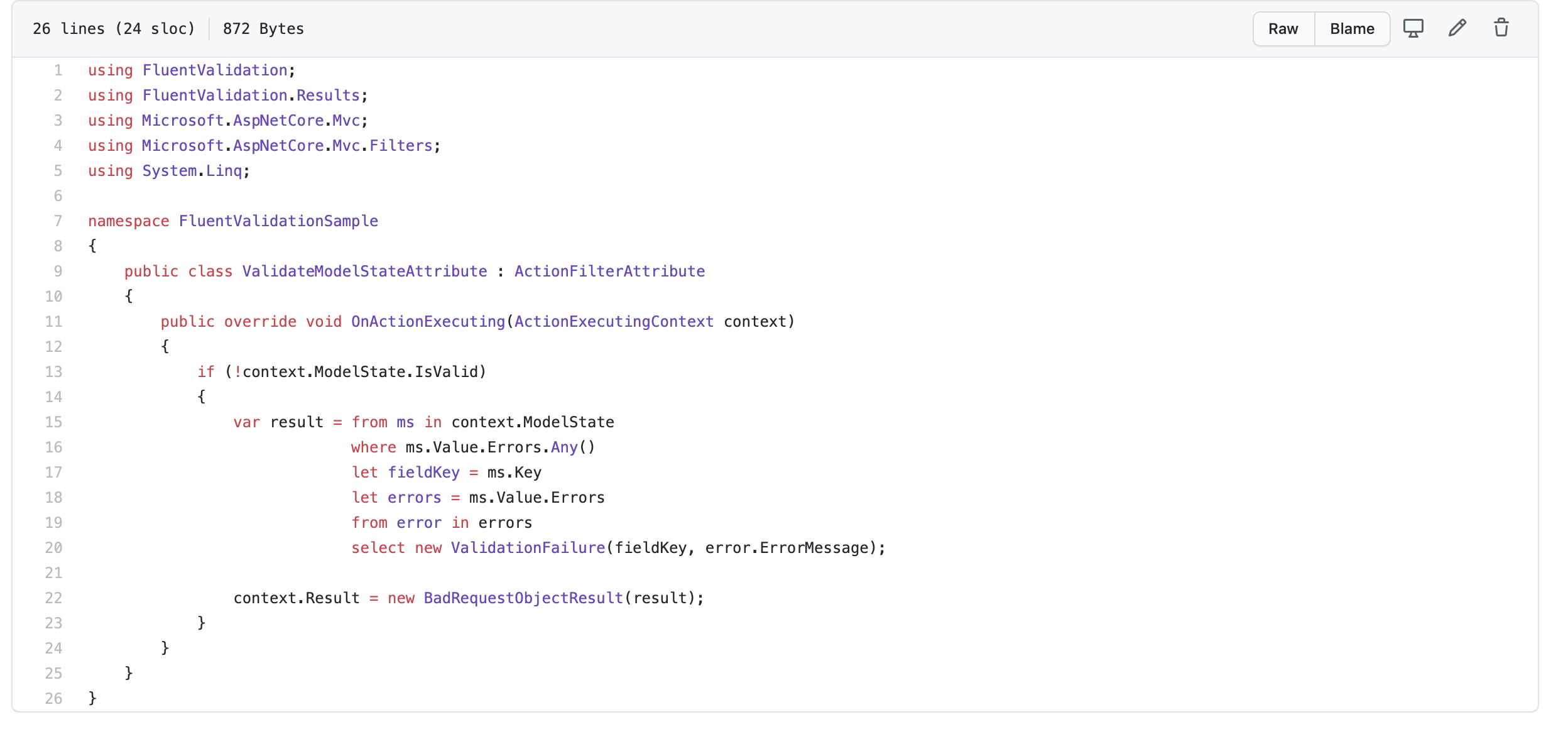
Add ActionFilterAttribute to transform default binding error message to Fluent Validation error messages.
Action Filter Attribute
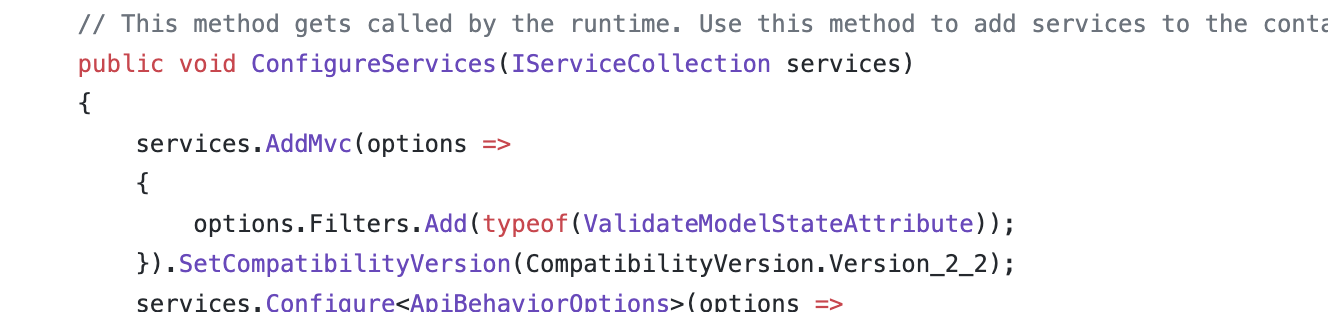
Register ActionFilter in Startup.cs
Startup.cs
Below is the final output after using an action filter
While designing layered application we typically follow following structure: In this traditional approach UI layer refers to Business access layer(BAL/Controller layer) and BAL refers to Data access layer (DAL). This referring is usually hard coded at each layer leading to numerous problems simply because of the reason that we don't program to abstraction. The problem which could crop up are: Data access layer is not interchangeable. Suppose in future in stead of storing data to data we choose flat file storage, so in order to accommodate this in current layering BAL and DAL both has to rebuilt. Its not easy to test the whole system without each and every component up and running. In short its not east the fake the data layer or controller layer to test the same using automated tests. Its not easy to share the business rules across application or modules as they are dependent on the lower layers directly. Business rules are generally shared across all the systems despite...
Implementing Singleton Design pattern for logger service is something used extensively. Here is the implementation which i used recently: class Logger { #region Private member //Stream writer to write log to file. private static StreamWriter streamWriter = null; //Will be used in synchLock to make initialisation thread safe. private static Object synchLock = typeof(Logger); private static Logger logger = null; //Log file name. private const string LOG_FILE_NAME = "Log.txt"; #endregion #region Constructors ...


Comments
Post a Comment